Your emails ask questions. And get answers

Answers in the email. Data in Campaign.
Rate, vote, fill in data: your recipients respond without leaving the email. Their answers are ready right away for segments and automations. No external tools, no IT ticket.
Available as a package for Campaign customers · Live in 14 to 30 days

The numbers

Interactive emails get more of your recipients to engage. Your mailings become more interesting, and you get more interactions with fewer clicks.

14-30

days to your first live version

5

interactive elements in the package

0 hrs

of IT effort on your side

One click in the email.New data in Campaign.

Interactive emails collect answers where attention already is: in the inbox. No jump to a landing page, no channel switch, no lost clicks.
1

Collect

Ratings, NPS or forms right in the email. One click on a star, a scale or a field is all it takes.

2

Store

Answers go into Campaign automatically. No integration to build, no export.

3

Use

For segments, follow-up communication and automation. Ready to go right away.

0:00 / 0:00
Interactive

Apple Mail (iOS and macOS), Samsung Email and other modern clients

Recipients rate, vote or fill in fields right in the email. The answer goes straight to Campaign.

0:00 / 0:00
Fallback

Gmail, Outlook and all other clients

These clients show a fallback version automatically. For data requests, a button opens a landing page built entirely in Campaign. Either way, the answer ends up in Campaign.

Case Study Dorothee Schumacher

Their strongest automation reached just under a third of customers.

Dorothee Schumacher sent one interactive mailing. In less than 24 hours, it collected more than 41 times as many birth dates as the five days before.


Starting point

The birthday automation is one of the strongest ROI drivers in their CRM, with an open rate of around 50% and a click rate of around 25%. But 68.7% of the full mailing list had no birth date on file.

The hurdle

Only about 4 new profiles came in organically each day. At that pace, closing the gap would have taken years. Classic web forms cost clicks, cause drop-offs and tie up IT capacity.

The idea

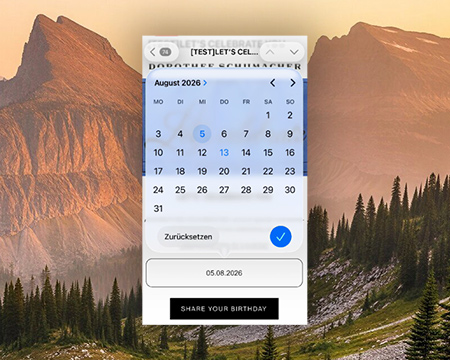
The mailing asks the question right in the email. On iOS and in Apple Mail, recipients pick their birth date from a selection field. All other clients open a landing page in Campaign. No developer needed on the customer side.

The result

In less than 24 hours, the mailing generated more than 41 times as many profiles as the previous five days combined.

The lever

Every new birth date triggers the birthday automation, year after year. The request is easy to repeat, or you can set it up as an automation of its own.

41.3x

more data in under 24 hours

240x

faster data collection per day

4.9%

completion rate among previously incomplete profiles

+3.3 pts

data coverage, up from 31.3% to 34.6%

Business Consulting

More than a mailing.More than a platform.

Discover new opportunities. Activate your data. Create better customer experiences.

Interactive emails are more than another communication channel. They create new touchpoints, allow direct interaction and give you insight into what your customers are interested in and need. So how do you use them strategically?

In our business consulting, we work with you to find new use cases, put the data you already have to work and get more out of your Optimizely platform. From the idea to the use case to activating your data.

More value from the data and technology you already have. No extra tools.

Five elements, your choice

Build your package from 3 data slots and 2 visual slots.
You can use the same element more than once.
Optimizely campaign handles the mailing, the landing page and data collection for you.

feature visual Bewertung

Rating

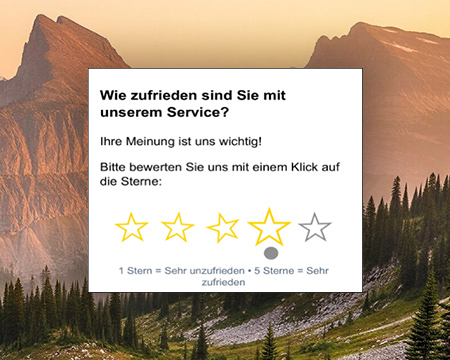
Stars or emojis on a 2- to 5-point scale, with a follow-up question for low ratings.

  • Next step: a thank-you and referral request for top ratings, an offer of help for low ones.
product visual NPS-Score

NPS Score

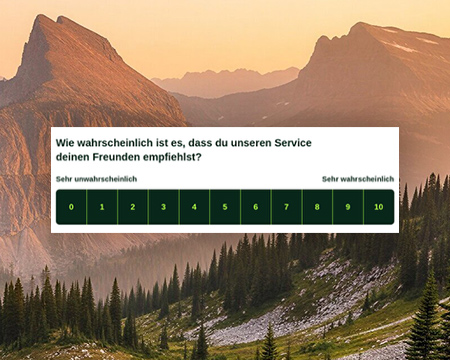
Scale from 0 to 10, with a follow-up question for low scores.

  • Next step: referral request for scores of 9 or 10, service email for 0 to 6.
product visual Formular Umfrage

Form & Survey

Multiple fields or questions. Answers are stored right away and ready to analyze.

  • Next step: segmentation by interests and preferences.
product visual image slider

Image Slider

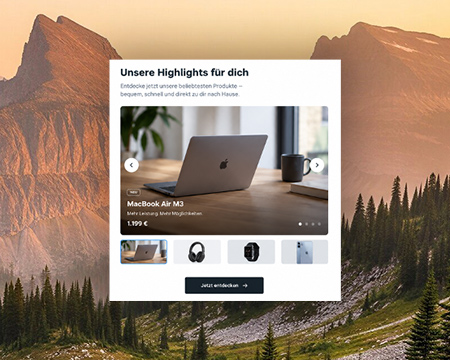
Up to 5 linked images. Recipients swipe or click through.

product visual collapse tool

Collapse Tool

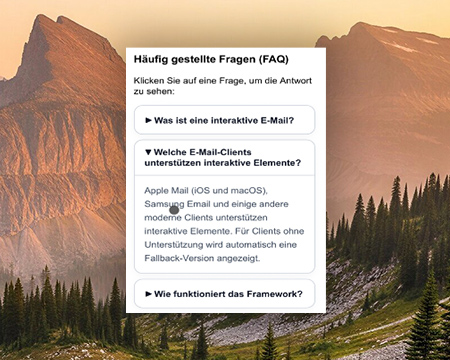
Show and hide text and images with a click. No extra landing page needed.

Next step

Let your emails talk back

The Optimizely Consultants will agree on the elements and timeline with you. Not a Campaign customer yet? Our team will get in touch.

FAQ

The elements are interactive in Apple Mail (iOS and macOS), Samsung Email and other modern clients. Gmail, Outlook and all other clients show a fallback version automatically. For data requests, a button leads to a landing page in Campaign, and the answer goes into Campaign the same way.

No. Optimizely handles the mailing, the elements and data storage. In the Dorothee Schumacher use case, the IT effort was 0 hours.

Yes, in identical form. For example, the same NPS question can appear in every newsletter. If a recipient answers again, the new answer replaces the old one in Campaign. You can make simple changes, like editing survey copy, up to 4 times a year. More elements and customization are available on request.

Talk to us. We'll show you how interactive emails work in Optimizely Campaign and what they can do for your communication.